
Sign in
Open app.authnimbus.cloud and choose the sign-in method provided by your organization. Use the work account associated with your tenant membership. If your organization uses a verified domain or SSO configuration, the portal will direct you to that provider.
Accept an invitation
Open the invitation link sent by a Tenant Global Admin. Sign in with the invited work account, review the tenant name, and accept. Invitations are single-purpose and can expire or be revoked; request a new invitation if the link is no longer valid.
First-time setup checklist
- Confirm the tenant name and primary details in Settings → Tenant Profile.
- Invite only the people who need access and assign the least-privileged bundled role in Settings → User Management.
- Review licensed modules in Settings → Modules.
- Verify domains before configuring DMARC or authentication.
- Connect Microsoft 365, Entra ID, Defender, Splunk, or Sentinel only when the relevant administrator and consent details are ready.
- Set your preferred local-time or UTC display in Account.
Use the mobile navigation
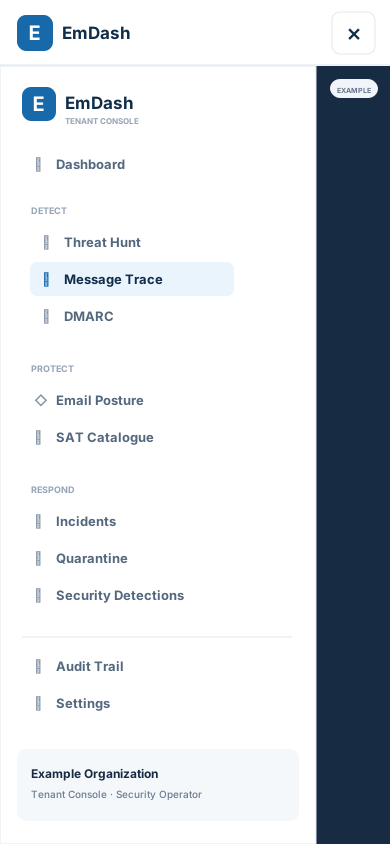
At narrow screen widths, the app sidebar moves into a navigation drawer. Tap the menu button in the top bar to open it, then choose Dashboard, Detect, Protect, Respond, or another destination. Choosing a destination closes the drawer; tap the close button or the shaded area outside the drawer to dismiss it without navigating. At desktop widths, the sidebar remains visible.
Sign-in problems
If the callback expires, the work account does not match the invitation, or the provider rejects the request, return to the sign-in page and start again. If the tenant still cannot be reached, use Support and include the approximate time and the visible error text, never a token or message body.