
Threat Hunt
Open Threat Hunt to search retained security metadata. Combine fields such as sender, recipient, subject, message ID, conversation ID, verdict, authentication results, domains, URLs, and date range. Results are designed for triage and correlation; they are not a mailbox archive.
Saved hunts are shared within the tenant when your role has the relevant manage permission. Rename or remove saved hunts from the result workspace. A search can return no matches even when the integration is healthy.
Message Trace
Message Trace searches messages evaluated by EmDash. Open a result to inspect sender and recipient metadata, subject, timestamps, verdict, model signals, authentication checks, indicators, attachment metadata, and related incidents.
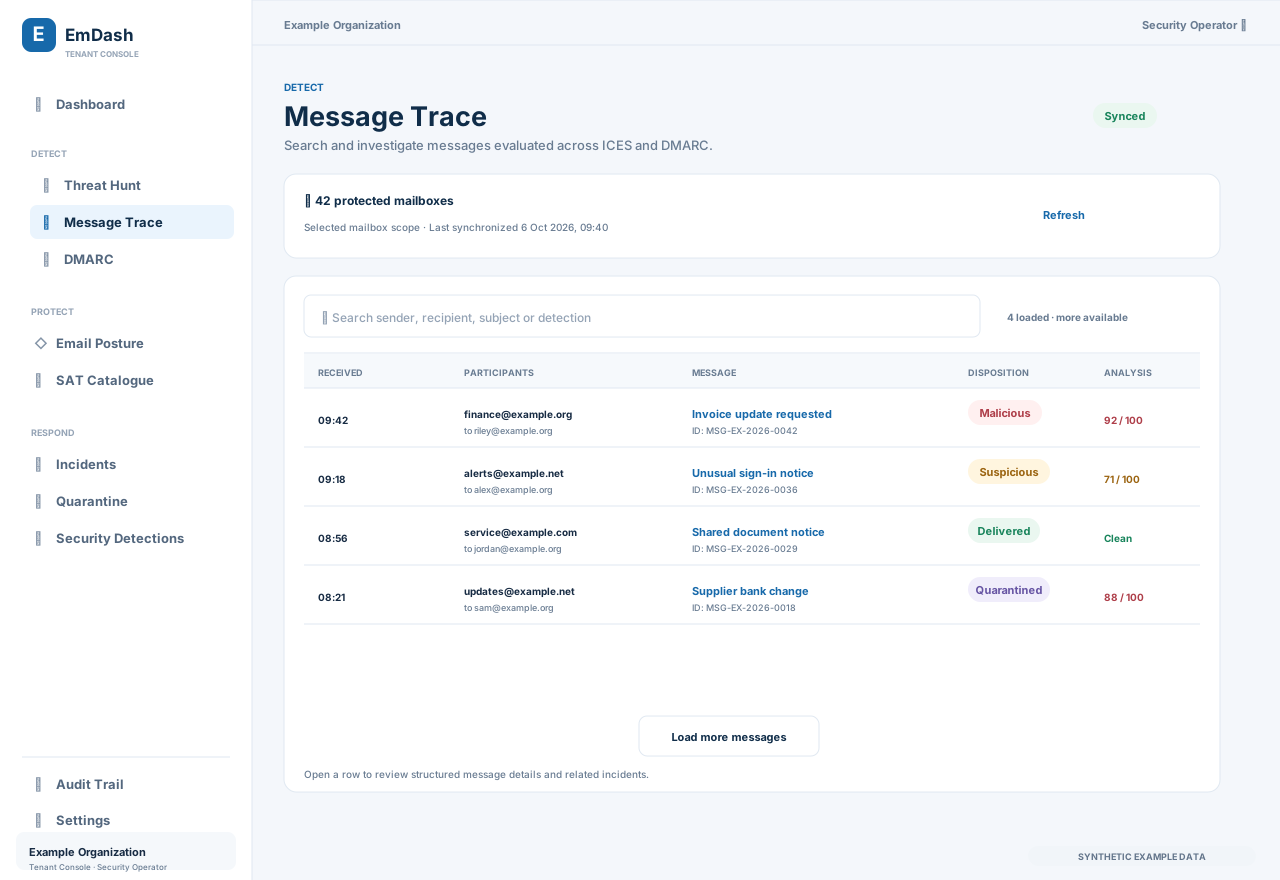
Use the search field to narrow the message list, then select a message subject to open its detail page. The list shows received time, participants, message subject, disposition, and analysis at a glance. A result count indicates how many messages are loaded and whether more are available. Message detail provides the investigation context; it does not automatically grant access to full message content.
Dynamic message detail URLs are tenant-scoped and return only records your session may investigate. Access to the full body, retained excerpts, screenshots, attachment rescans, URL sandbox runs, and AI analysis is separately permissioned.
DMARC Operations
Open DMARC to review managed domains and aggregate reports. The workspace includes:
- managed domains and DNS setup;
- authentication trend and alignment rate;
- sending sources and report detail;
- policy and disposition findings;
- recommendations and SPF flattening;
- recent activity and pagination.
Enable a domain, publish the service-specific DNS records, and wait for receiver reports. A report period with no rows may simply have no usable aggregate data. Use the domain setup tab to confirm the published rua destination and policy.
Recommended investigation flow
- Start with a dashboard detection or queue item.
- Search the relevant sender, recipient, subject, or message ID in Message Trace.
- Open the message detail and review structured evidence before requesting privileged data.
- Correlate the result with Threat Hunt or DMARC source data.
- Create or update an incident from the relevant workflow when a response is needed.